Video editing has traditionally required a combination of technical knowledge, creative judgment, and patience. Even a short social media video can involve reviewing footage, trimming clips, arranging scenes, adding captions, choosing music, and adjusting the final format. AI is changing this process by allowing creators to describe what they want in natural language and use intelligent tools to speed up repetitive editing tasks.
The rise of conversational AI has made this approach even more practical. Instead of relying entirely on complex timelines and manual controls, creators can explain an editing idea, organize their source material, and use AI-assisted workflows to produce an editable first draft. The goal is not to eliminate human creativity, but to make the path from an idea to a polished video much faster.
What Is an AI Video Editor with ChatGPT?
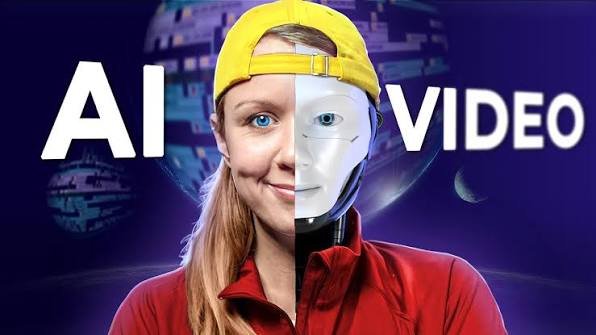
An AI video editor with ChatGPT combines conversational instructions with video-editing technology. Rather than manually explaining every technical step, users can describe the desired result in ordinary language.
For example, a creator might provide several clips and request a short video with the strongest moments, faster pacing, captions, and a specific aspect ratio. An AI-assisted workflow can help organize those requirements and prepare an initial edit.
One example is AI video editor with ChatGPT, which connects conversational AI assistance with CapCut’s editing environment. The workflow can analyze uploaded footage, identify useful sections, remove unnecessary portions, arrange clips, and create an editable rough cut. The creator can then review the timeline and make creative decisions before publishing.
This distinction is important. AI can accelerate the editing process, but the first generated version should be treated as a starting point rather than an automatically perfect final video.
Why Conversational Video Editing Matters
Traditional editing software gives users extensive control, but that flexibility can also make the learning curve steep. Beginners may spend significant time learning where tools are located and how different settings work.
Conversational editing changes the starting point. Instead of asking, “Which button should I use?” the creator can focus on the outcome:
- Remove long pauses.
- Keep the most engaging sections.
- Create a 30-second version.
- Add readable captions.
- Make the opening more dynamic.
- Prepare a vertical version for short-form platforms.
The AI can interpret these instructions and help translate them into an editing workflow.
This can be particularly useful for creators who produce content regularly. A business owner, educator, marketer, or social media creator may need several variations of the same video. AI-assisted editing can reduce repetitive setup and allow more time for reviewing the message and improving the final presentation.
AI Can Help Before the Editing Timeline
Good video production starts before the first cut. A clear concept, script, and visual plan can make editing considerably easier.
ChatGPT can be useful during this preparation stage. A creator can use it to brainstorm video concepts, organize a script, develop scene descriptions, suggest hooks, or create different versions of a message for different audiences.
The same principle applies to visual assets. Instead of searching endlessly for suitable graphics, creators can use generative AI to develop images that support a video’s concept. For projects that need custom visuals, a free AI image generator can help turn text-based ideas into images that may later be incorporated into a video.
For example, a technology channel could create an illustration for an explainer, while an online store could produce a visual concept for a product campaign. These images can then become part of a larger storyboard or editing sequence.
From Raw Footage to a First Draft
One of the most time-consuming parts of editing is reviewing raw footage. Long recordings may contain repeated takes, pauses, mistakes, or sections that do not contribute to the final story.
AI-assisted workflows can help identify useful moments and prepare a rough sequence. This is especially helpful when a creator has many short clips from an event, interview, tutorial, or social media shoot.
A practical workflow could look like this:
- Collect the source material. Upload the footage, images, or other assets required for the project.
- Define the objective. Explain the audience, platform, duration, tone, and desired outcome.
- Describe the editing direction. Specify which moments should receive priority and what should be removed.
- Generate a rough cut. Let the AI-assisted workflow organize the selected material.
- Review the timeline. Check whether the sequence actually communicates the intended message.
- Refine the details. Adjust captions, transitions, audio, timing, and visual elements.
- Export the appropriate format. Prepare the final version for the intended platform.
This approach separates automation from creative approval. The technology handles repetitive work while the creator remains responsible for the final result.
AI Video Creation Is Not Only About Automation
It is tempting to think that AI video technology is mainly about pressing a button and receiving a finished video. In practice, the strongest results often come from combining automation with human direction.
AI may identify an interesting clip, but a human understands the broader story. It may suggest a transition, but the creator knows whether that transition fits the brand. It can generate an image, but a person still needs to decide whether the visual communicates the right message.
This is why review remains an important part of the workflow. Creators should check:
- Whether the selected clips are relevant
- Whether the story flows naturally
- Whether captions are accurate
- Whether generated visuals contain unwanted details
- Whether music matches the mood
- Whether the pacing feels appropriate
- Whether logos, names, and product information are correct
AI can make production faster, but quality still depends on good creative decisions.
Combining AI Images and Video
Images and video no longer have to be treated as completely separate parts of digital content production. A creator can develop an image concept first and then incorporate that visual into a video sequence.
For instance, a travel creator might generate an illustrated destination scene, use it as an introductory visual, and then transition into real travel footage. A business could create a conceptual graphic for a service and combine it with a presenter-led explanation.
This image-first approach can also make storyboarding easier. Instead of immediately generating a complete video, creators can first decide what each scene should look like. Once the visual direction is clear, those assets can be incorporated into the editing process.
Who Can Benefit from AI-Assisted Video Editing?
AI video workflows are useful for a wide range of users.
Content creators can produce short-form videos more efficiently and experiment with multiple hooks or edits.
Small businesses can create promotional videos without building a large production team.
Educators can turn lectures, demonstrations, and presentations into shorter learning clips.
Marketers can adapt existing footage into different formats for social platforms and campaigns.
Beginners can use natural-language instructions to explore editing workflows without needing to understand every technical feature immediately.
For experienced editors, AI can also function as a productivity layer rather than a replacement. It can handle repetitive preparation while the editor focuses on storytelling, visual consistency, sound, and finishing.
The Future of AI Video Editing
AI video editing is moving toward workflows where planning, generation, editing, and refinement work together. Instead of switching between numerous disconnected applications, creators increasingly have access to tools that connect prompts, media assets, generated visuals, captions, and editing timelines.
However, better technology does not automatically guarantee better content. The fundamentals remain important: a clear message, strong opening, appropriate pacing, good audio, readable text, and visuals that support the story.
The most effective approach is therefore not to ask AI to do everything. Instead, creators can use AI for the repetitive and technical parts while retaining control over the creative decisions that make a video worth watching.
Conclusion
AI-assisted video editing is making professional-style production more accessible. Conversational tools allow creators to describe their goals in natural language, organize raw footage, develop visual concepts, and accelerate the creation of editable drafts.
The real advantage is not simply saving a few clicks. It is shortening the distance between an idea and a usable video. When AI handles repetitive tasks and people provide direction, judgment, and final quality control, video creation can become faster without losing its creative side.